Payment Kiosk Machines Explained: Technology, Benefits, and Future Trends
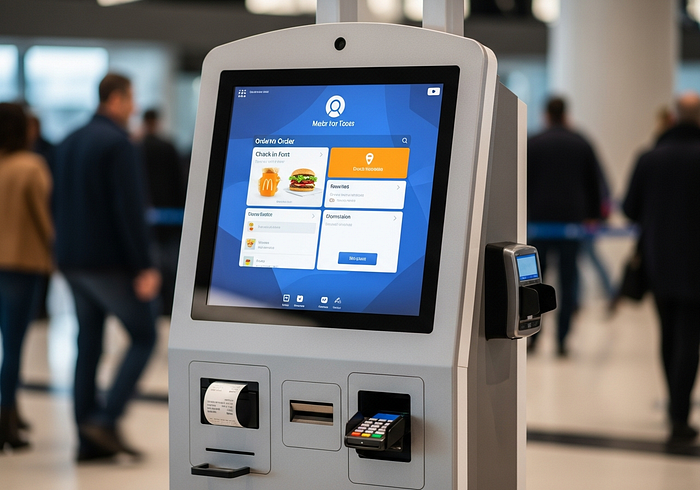
Payment kiosk machines are self-service stations that let people make payments without help from staff. They accept cash, cards, QR codes, or digital wallets and usually print a receipt at the end. You’ve likely seen them in places like retail stores, hospitals, parking areas, government offices, and quick-service restaurants. Instead of waiting in line, customers can walk up, follow simple on-screen steps, pay, and move on.
Businesses use payment kiosks to save time, reduce queues, and handle more transactions with fewer staff. Customers like them because they are fast, private, and easy to use. In this blog, you’ll learn what payment kiosk machines are, how they work step by step, why businesses invest in them, and what trends are shaping their future over the next few years. The goal is to give you a clear, practical understanding — without technical jargon — so you can decide if payment kiosks make sense for your business or organization.
What Is a Payment Kiosk Machine, and How Does It Work?
A payment kiosk machine is a self-service terminal designed mainly to accept payments and confirm transactions. Unlike other self-service kiosks that only handle check-ins or order placement, payment kiosks focus on completing the payment process securely and efficiently. Some kiosks combine ordering and payment, but a true payment kiosk always includes payment hardware and software as its core function.
How payment kiosks differ from other kiosks
- Check-in kiosks: Used for registration or appointments, often without payments
- Ordering kiosks: Allow customers to select items but may send them to a cashier for payment
- Payment kiosks: Complete the full transaction, including payment approval and receipt printing
A simple end-to-end flow
- Start the session
The user taps the screen, selects a service (bill payment, parking fee, co-pay, fine, or purchase), and enters basic details such as a reference number or bill ID. - Review the amount
The kiosk shows the payable amount clearly. The user confirms before moving forward. - Choose a payment method
Options may include debit card, credit card, UPI or QR payment, mobile wallet, or cash (if supported). - Payment processing
The kiosk sends encrypted payment data to a secure payment gateway for approval. - Confirmation and receipt
Once approved, the kiosk displays a success message and prints or sends a digital receipt.
Role in an omnichannel payment experience
Payment kiosks are one part of a larger payment ecosystem. Customers might browse or book online, then pay at a kiosk in-store. Others may start at a kiosk and receive digital confirmations on their phone. When connected properly, kiosks work alongside mobile apps, websites, and staffed counters to give customers flexible payment choices.
Benefits of Payment Kiosks for Customers and Businesses (and the Real Tradeoffs)
Payment kiosks offer clear advantages, but they also come with real limitations. Understanding both helps businesses make smarter decisions.
Benefits for customers
- Faster payments: Paying a utility bill or parking fee takes minutes instead of waiting in line.
- Convenience: Kiosks are available during extended hours and don’t depend on staff availability.
- Privacy: Sensitive payments like medical co-pays or fines feel more discreet.
- Consistency: The steps are the same every time, reducing confusion.
Benefits for businesses
- Reduced queues: Kiosks handle routine payments, freeing staff for complex tasks.
- Lower operating costs: One kiosk can manage transactions that would otherwise require multiple staff members.
- Fewer errors: Automated payment flows reduce manual entry mistakes.
- Better throughput: More payments processed during peak hours without expanding counters.

Simple real-world examples
- A hospital uses kiosks for co-payments, reducing front-desk congestion.
- A parking facility installs payment kiosks to handle ticket payments quickly.
- A retail store enables returns and refunds through kiosks, speeding up service.
The real tradeoffs
- Upfront cost: Hardware, software, and installation require investment.
- Maintenance needs: Kiosks must stay online, updated, and clean to remain usable.
- Accessibility challenges: Poor design can confuse first-time or elderly users.
- Limited human support: Some customers still prefer staff assistance for complex issues.
The key is balance. Payment kiosks work best when they support staff — not fully replace them.
Future Trends: Where Payment Kiosk Machines Are Headed Next
Between 2026 and 2028, payment kiosks are expected to become smarter, more connected, and easier to use. The focus is not flashy features, but better experiences and stronger security.
Improved user experience
Screens will become clearer, faster, and more responsive. Interfaces will use simple language, large buttons, and guided steps to reduce errors. Multilingual support will be standard in public locations.
Stronger payment security
Future kiosks will rely more on contactless payments and tokenized transactions, meaning sensitive card data is never stored on the machine. Remote monitoring will help detect issues early and reduce downtime.
Better system integration
Payment kiosks will connect more tightly with billing systems, CRMs, and reporting tools. This allows real-time updates, automatic reconciliation, and centralized management across locations.
Remote management and uptime focus
Operators will be able to update software, monitor hardware health, and resolve issues remotely. This reduces service interruptions and lowers maintenance costs.
Flexible deployment models
Modular designs will make kiosks easier to upgrade rather than replace. Businesses can add new payment methods or services without changing the entire machine.
Conclusion
Payment kiosk machines are self-service stations that help people complete payments quickly and securely. They combine reliable hardware with secure software to accept payments, approve transactions, and issue receipts. For businesses, kiosks improve speed, reduce queues, and increase operational efficiency. For customers, they offer convenience, privacy, and control.
If you’re choosing a payment kiosk, focus on three essentials: strong payment security, dependable uptime support, and a clear, easy user flow. Over the next few years, payment kiosks will become more connected, more reliable, and more user-friendly — making them a practical part of everyday payment experiences across many industries.
Frequently Asked Questions (FAQs)
What is a payment kiosk machine?
A payment kiosk machine is a self-service terminal that allows users to make payments and receive receipts without staff assistance.
Where are payment kiosks commonly used?
They are commonly found in retail stores, hospitals, parking facilities, government offices, quick-service restaurants, and utility payment centers.
Are payment kiosks secure?
Yes, modern payment kiosks use encrypted transactions, secure payment gateways, and compliance standards to protect user data.
Can payment kiosks accept multiple payment methods?
Most payment kiosks support cards, contactless payments, QR codes, mobile wallets, and sometimes cash.
Do payment kiosks replace staff?
No. They reduce workload for routine tasks but work best when combined with staff support for complex issues.
What should businesses prioritize when choosing a payment kiosk?
Payment security, system reliability, ease of use, after-sales support, and future upgrade options.


Comments
Post a Comment